
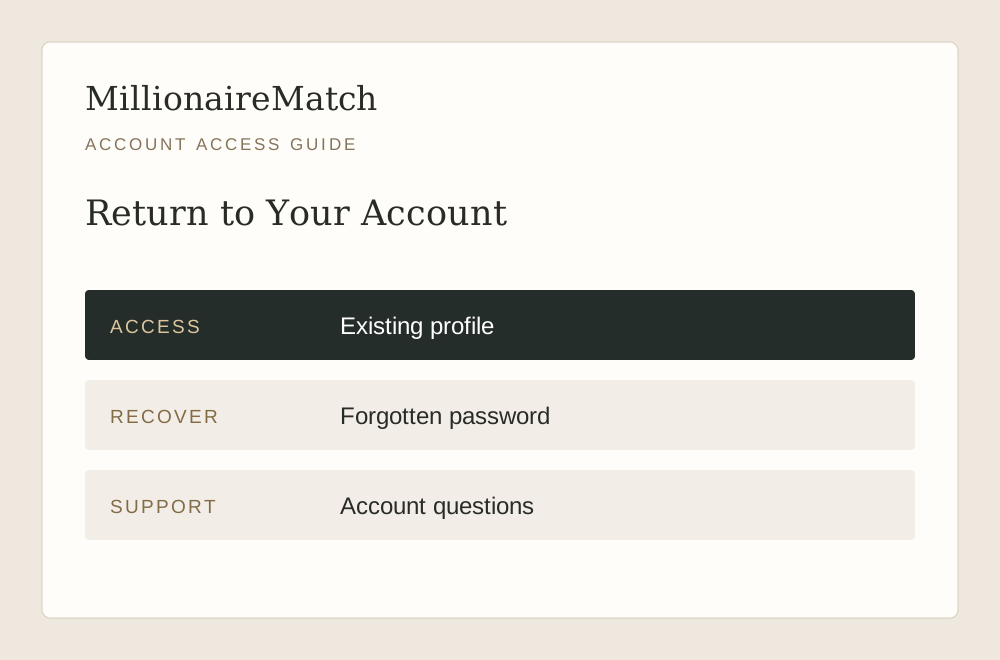
Go Directly to the Existing-Account Route
Use the login button rather than registration when you already have a profile. Creating another account is not a reliable way to recover messages, membership or an existing identity. It may leave you with two accounts and no clearer understanding of which one holds the activity you want.
Check the destination before entering credentials. The login button opens MillionaireMatch's own login page. A search result, an unsolicited message or an image of a login form should not be treated as equivalent. Type sensitive information only into the actual service, not into an email reply or a conversation with another member.
If you are new to the product, the sign-up page explains preparation instead. Keeping the two routes distinct is especially useful when moving between web and mobile, where a prominent registration invitation can make an existing member think they need to start again.
Check the Account Details Before Resetting Anything
A saved password can belong to a different account or an earlier version of a credential. If sign-in fails, check the email address and enter the intended details carefully. Avoid guessing repeatedly when you are unsure which address was used originally.
Consider whether you registered with a personal or work address, and whether the inbox is still accessible. Do not publish a list of possible addresses in a support forum. If you need help identifying an account, provide only the details requested through the official support process.
An error message is useful evidence. Note whether it refers to an incorrect combination, a missing step or an account status. Those messages suggest different next actions. A general inability to enter does not automatically mean that the service is unavailable or that your profile has been deleted.
Use Password Recovery for a Forgotten Credential
The public FAQ directs members to the password-recovery option on the login screen. Use the address associated with the account and follow the instructions in the resulting message. Check filtered folders if the message does not appear, and make sure you are reading the newest recovery email.
Recovery links can expire. If a link no longer works, request a fresh one through the login page rather than asking another person to reuse or forward theirs. A recovery message is part of account access and should be treated as private.
Choose a unique replacement password when the service asks you to do so. Do not send it to this website or to a person claiming they can fix the account manually. A legitimate support conversation should not require you to disclose the password you plan to use.
| Visible Situation | Next Action |
|---|---|
| Forgotten password | Use recovery from the official login screen. |
| Incorrect email and password combination | Confirm which account details you are entering. |
| Review or verification notice | Follow that notice or contact account support. |
| Page fails before account entry | Record the browser or app error for technical help. |
Treat an Account Hold Differently From a Typing Error
If the service presents a review, verification or suspension notice, repeated password resets may not address the issue. Read the notice and use the official support route for that account state. Keep the explanation focused on what you see rather than trying to infer the reason from an unrelated discussion online.
You can describe the last successful access, the device involved and the exact notice shown. Do not submit identity or financial records to an unverified address simply because someone says they are needed to release the account. Confirm the request through the service first.
Our support guide separates access questions from moderation and billing. That distinction helps you send a request with enough detail for the correct team or process, without making a password issue and a profile review sound like the same problem.
Returning After a Break Requires a Little Care
An account you hid, deactivated or requested to delete may not behave like one you simply stopped visiting. Read the current account instructions before signing in if you are concerned that access could restore a profile. Do not use a general article as a substitute for the specific status of your account.
Once access is restored, review the profile before making introductions. Photographs, availability, location and relationship goals may have changed since the last visit. Revisiting your dating profile can make the return feel more personal than simply reopening old chats. Returning to old conversations with an outdated description can create unnecessary confusion.
Also inspect membership and renewal information. A break from using the product is not necessarily the same as ending a subscription. The cost and membership guide explains why visibility, app installation and billing are separate controls.
Keep App Access and Purchase Management Distinct
You may use the dating account through a mobile app while the subscription was purchased elsewhere. The ability to sign in does not by itself tell you which channel manages payment. Look at the purchase confirmation or current subscription details before trying to change a plan.
If you switch phones, first identify the existing account. Do not buy another subscription because a new device initially looks unfamiliar. A clear account history and receipt are more useful than a sequence of duplicate purchases made while troubleshooting.
The app overview provides the iOS and Android links. It also distinguishes downloading from subscribing. Use the platform-specific page if you need to confirm which public listing corresponds to the service before installing it.
Protect Access on Shared or Professional Devices
Use a device and browser environment you are comfortable associating with personal dating activity. A shared computer may retain a session, saved credentials or visible notifications. A work-managed device may have employer access policies that are outside your control.
If you use a shared device, sign out when finished and avoid saving credentials there. Do not assume that closing a tab ends the session. Check the visible account state if another person will use the device afterward.
For people whose professional identity is highly visible, discreet dating for executives covers the broader privacy choices. Login security is only one part of that picture; profile content and communication habits also determine what others can learn.
Describe a Persistent Technical Problem Precisely
If the page fails to load or loops unexpectedly, record the device, browser or app version and the action that triggers it. Distinguish a blank page from a rejected password or a specific account notice. Those observations help support understand whether the issue concerns the interface or the account.
You may compare the official website with the official app if both are available to you, but do not install an unofficial copy or browser extension that promises to repair access. Keep troubleshooting within the service's recognized routes.
When sending a screenshot, remove passwords, recovery links, payment information and unrelated private conversations. The useful part is usually the error and its context, not the whole account. A concise report can protect your privacy while making the issue easier to reproduce.
Once You Are Back In, Check What Matters Now
Confirm that you are in the intended profile, review recent notices and inspect subscription information if payment is relevant. Then return to the purpose of the account: meeting people whose lives and intentions interest you. There is no need to catch up on every interaction at once.
If you are reconnecting with someone after a long absence, acknowledge the gap simply and allow them to decide whether they want to resume. Access to an old conversation does not imply that the other person is still available or interested.
The login route below takes you to the service. If account recovery is needed, use the options there. Keep your credentials private, follow the account-specific instructions and use support when the visible notice requires an action you cannot complete yourself.