
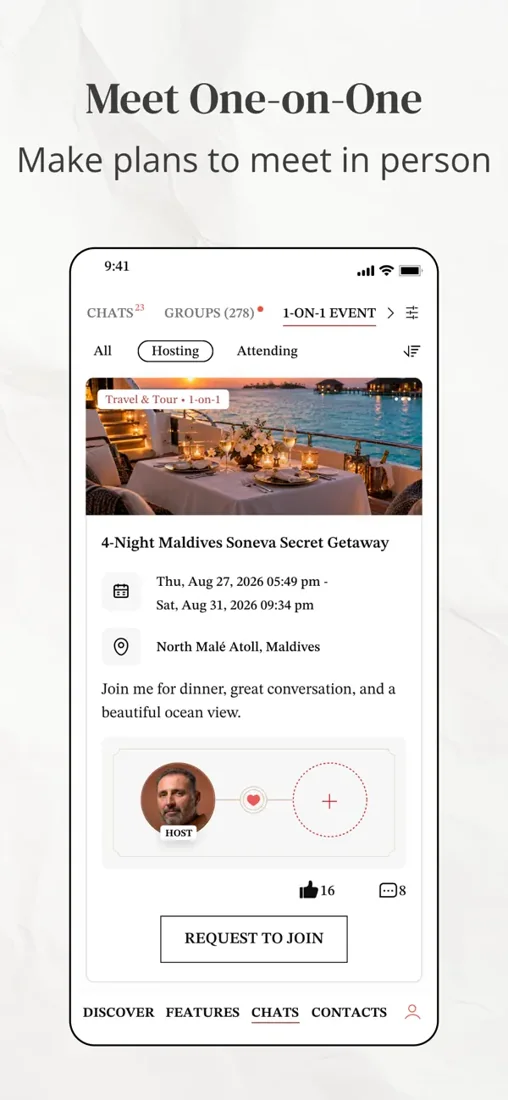
- Introduce yourself accurately and complete the requested account checks.
- Discover people through a search or a quicker first look.
- Use the communication action available to your membership.
- Add a call or a public meeting when the interest is mutual.
Start With a Profile That Can Begin a Conversation
Your profile is the first explanation of who you are and what you want. Give it more substance than a job title or a list of desirable qualities. The successful singles profile examples show how to translate career context into a personal introduction. A few concrete details about your work, interests and relationship direction help another person imagine a conversation with you.
For this audience, the balance matters. Professional achievement can be relevant without becoming the entire introduction. Describe what you enjoy about your life and where a partner might fit. An account that lists only accomplishments can leave someone impressed but unsure how to approach you personally.
The registration guide covers the information and photographs to prepare. Registration is the beginning of the account journey, not a promise that every submitted element will immediately be approved or that a subscription is required before you can understand the service.
Complete Review and Verification Through the Service
Follow the prompts presented by the actual MillionaireMatch account flow. Use a recent, recognizable photograph and truthful information. If the service requests verification, complete it through the confirmed interface rather than sending documents to someone who contacts you privately.
Review can introduce a delay between submitting information and seeing it appear as expected. Do not assume that repeating the upload or creating another account is the correct response. Look for a specific notice, check the relevant help entry and ask support if the status remains unclear.
Different verification signals have different meanings. Our badge guide explains those distinctions before you begin interpreting other profiles. The goal is to understand what a check contributes, not to treat an icon as a complete assessment of a person.
Use Gallery for a More Deliberate Search
Gallery is described in the public help material as a way to view profiles according to preferences. This is useful when you already know some practical conditions that affect dating, such as location or a relevant age range. Start with the conditions you genuinely need rather than every attribute you can select.
If a search is too narrow, reconsider a preference that is merely nice to have. If it is too broad, add the factor that most affects whether you could meet. The objective is a useful set of introductions, not a perfect theoretical profile assembled from filters.
Read beyond the result image. A person's stated goals, schedule and interests may tell you more about a possible connection than a highly specific search match. Search helps you find people to consider; it does not complete the consideration for you.
Use FLAME When You Want a Quicker First Look
FLAME offers a faster way to encounter photographs and indicate interest or pass. It can be convenient when you have a short period to browse, but the speed of the interface should not determine the speed of your judgment about a relationship.
If someone catches your attention, use the available profile information before moving into a conversation. A quick visual preference is only the beginning. Ask whether the broader introduction gives you something real to respond to and whether the person's priorities appear compatible with yours.
There is no need to turn browsing into a target. A short session that identifies one interesting person can be more useful than a long session of automatic reactions. Use the format that helps you remain curious rather than the one that keeps you scrolling longest.
Distinguish a Wink From a New Chat
A wink is a lightweight expression of interest. A message starts a more specific exchange, and the permissions for initiating it depend on membership. The public FAQ describes free winks and a distinction between Standard replies and starting a new conversation.
That difference helps explain why an interaction may not immediately become a chat. A wink can be a signal, but it does not communicate the same amount of intention or information as a personalized introduction. If you want to start a conversation, understand the access your account provides.
The free membership page explains the Standard starting point, while the paid-plan guides cover greater initiation freedom. Choose based on what you want to do. You do not need to interpret every product limitation as a judgment by the other person.
Let the Conversation Become Specific
Respond to something the person actually said or showed. If they mention a business they enjoy building, ask what drew them to it. If they describe a favorite kind of weekend, share a relevant preference of your own. The purpose is to create an exchange, not to demonstrate that you read every field.
Keep the tone personal rather than transactional. A successful career is interesting context, but asking for investment, employment or access to contacts changes a dating introduction into something else. Our article on dating versus networking helps clarify that boundary.
Pay attention to reciprocity. Are both people asking questions? Does the conversation develop beyond compliments? Does each person respect the other's pace? These observations tell you whether there is a reason to continue, even before you discuss meeting.
Use Calls to Add Context Before a Meeting
The help material describes voice and video calling functions. A short call can add tone and a more immediate sense of conversation before you commit to a meeting. Agree on a suitable time rather than treating availability in the app as an invitation to call without warning.
Keep the first call manageable. You can ask about the person's week, discuss an interest from the profile and see whether conversation feels comfortable. There is no need to conduct a full interview or disclose sensitive details to prove sincerity.
If a call does not work, distinguish a technical issue from a personal conclusion. Permissions, settings or connectivity may be involved. The support page explains how to describe a problem clearly when the product does not behave as expected.
Move to a Date When the Interest Is Mutual
Suggest a public meeting with a clear place and time. A refined setting can be pleasant, but simplicity often makes a first date easier to accept. Choose a plan that lets both people arrive independently and decide afterward whether they want another meeting.
For busy professionals, specificity helps. “Coffee on Saturday afternoon near the gallery” is easier to consider than an open-ended promise to find time. If work or travel makes a plan uncertain, say so before the other person organizes their day around it.
Afterward, be straightforward about whether you would like to meet again. A service can facilitate the introduction, but the next step belongs to the two people involved. Respectful clarity is useful whether the answer is yes or no.
Revisit the Account as Your Needs Change
Your settings and membership should reflect how you currently use the service. If you take a break, understand the difference between reducing visibility, ending renewal and deleting an account. These actions serve different purposes and should not be substituted for one another.
If your relationship goals or availability change, update the profile. An accurate introduction is more valuable than a polished description that no longer fits. The same applies to photographs: keep them representative of the person someone will meet.
Begin with a manageable first session: complete the profile, review the settings and look for one genuinely interesting introduction. That gives the product a clear role in your dating life while leaving the relationship itself to develop at a human pace.