

Find the Right App in the App Store
The app name emphasizes MM rather than spelling out MillionaireMatch at the beginning. Apple's public listing identifies MillionaireMatch Inc as the developer and presents it as designed for iPhone. Check the listing on your own device for current compatibility and regional availability.
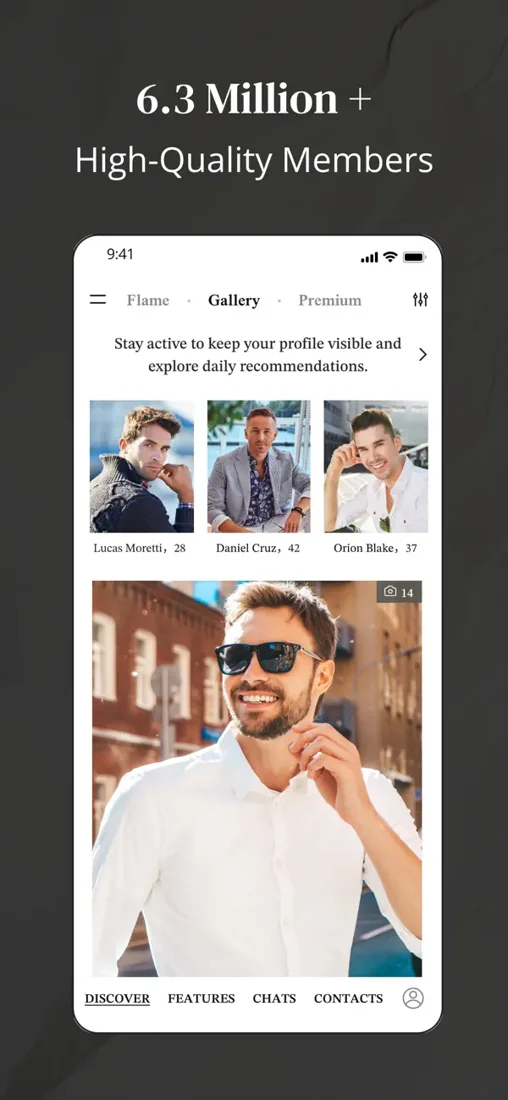
The official promotional images here help you recognize the product. They illustrate the brand's public presentation rather than showing people who are necessarily available to contact now. Do not interpret a store image as a promise about the exact profiles or screen layout you will see.
If you are comparing devices, the app overview places the iPhone and Android routes together. An iPhone user can review Apple's listing, the available membership choices and the purchase terms before deciding how to participate.
Make Your iPhone Profile Feel Like You
Select a recent photograph that looks good at the size another person will actually see. Your face should remain clear, and the image should represent how you look now. A professional headshot can be useful, but a dating introduction also benefits from warmth and a sense of life outside work.
Review the photo before uploading rather than relying on its thumbnail. Remove images that expose private documents, workplace details or people who did not agree to appear. Use genuine images consistent with the platform's rules; synthetic editorial pictures on a website are not suitable substitutes for your own profile photographs.
Write the profile text when you can give it a little attention. An iPhone makes editing convenient, but a hurried sentence between meetings may not communicate what you mean. Read the finished introduction as a whole and check that work, interests and relationship intention all have a place.
Understand the iOS Silver Option
The service's public FAQ describes Silver as available on iOS, with a limit of two new chats per day. Premium is described differently, including unlimited new-chat initiation. Those published distinctions help frame the decision, but the current offer in your account remains the one to inspect before purchase.
The Silver versus Premium article compares actual usage patterns. Someone who sends one considered introduction most evenings may assess the limit differently from a person who browses in a longer weekly session. A daily allowance should not be assumed to accumulate unless the product says so.
Do not choose solely because one label sounds more exclusive. Identify the action you need, compare the rest of the included tools and read the charge. A membership describes access, not your status as a person or the likelihood that a particular member will reply.
Keep a Conversation Present Without Making It Constant
Use the app at times when you can read and answer with care. A promising exchange deserves more than a sequence of distracted reactions. If your workday is unpredictable, let the other person know when you usually have time to talk rather than leaving them to interpret every delay.
A small routine can work well: browse deliberately, respond to the conversation that interests you and stop when your attention is elsewhere. There is no need to keep checking merely because the phone is nearby. Mobile convenience should help dating fit into your life.
The founder dating guide explores this tension for people whose work can expand into every available hour. The important contribution is reliable attention, not a claim that you are always online.
Before Accepting an In-App Offer
- Confirm that you are using the intended dating account.
- Read the total charge and subscription period together.
- Identify the renewal conditions and the purchase-management route.
Review Apple Billing as Its Own Decision
The Apple listing describes in-app purchases and subscription terms. Before accepting an offer, read the amount due, duration and renewal conditions. If you purchase through Apple, retain the confirmation and use the relevant Apple subscription-management route for that transaction.
If an existing membership was purchased elsewhere, first identify that channel. Installing the iPhone app does not itself tell you where payment is managed. Avoid buying a second plan to solve an access question until you have checked the account and receipt.
Our cost guide explains how to compare a total charge with a monthly equivalent. It also distinguishes ending renewal from deleting software or changing profile visibility. Those differences are easier to understand before a purchase than during a later billing question.
Choose Privacy Settings for Your Everyday Environment
Review which notifications appear on the lock screen and how much content they reveal. Consider the settings in both the app and iOS, especially if your phone is visible during meetings or shared with someone else. Different controls can affect different parts of the experience.
Grant permissions for a feature when you understand why it needs them. A photo upload, voice call or video call may involve a specific access request. Read the device prompt rather than accepting every permission as a condition of belonging.
The executive privacy article addresses the wider question of professional visibility. Settings can reduce unnecessary exposure, but the information you choose to publish remains the foundation of a considered profile.
Download, Recognize Your Account and Begin
Use the iPhone download button to reach the App Store route. If you already have a MillionaireMatch account, choose the existing-account path instead of creating another profile. If you are new, prepare an honest introduction and follow the service's registration instructions.
After setup, look for one meaningful next action rather than trying every feature immediately. That might be completing your description, identifying a profile you want to understand better or replying thoughtfully to a conversation already underway.
The iPhone app can keep a worthwhile connection within reach. Let that convenience support a clear intention: meeting someone whose ambition, availability and hopes for a relationship feel compatible with your own.